Live Testing Dashboard
OpenBrIM is changing the way you test new releases. Live testing offers continuous integration by executing test projects automatically whenever changes are made.
Click any status icon to view live test results
Open Dashboard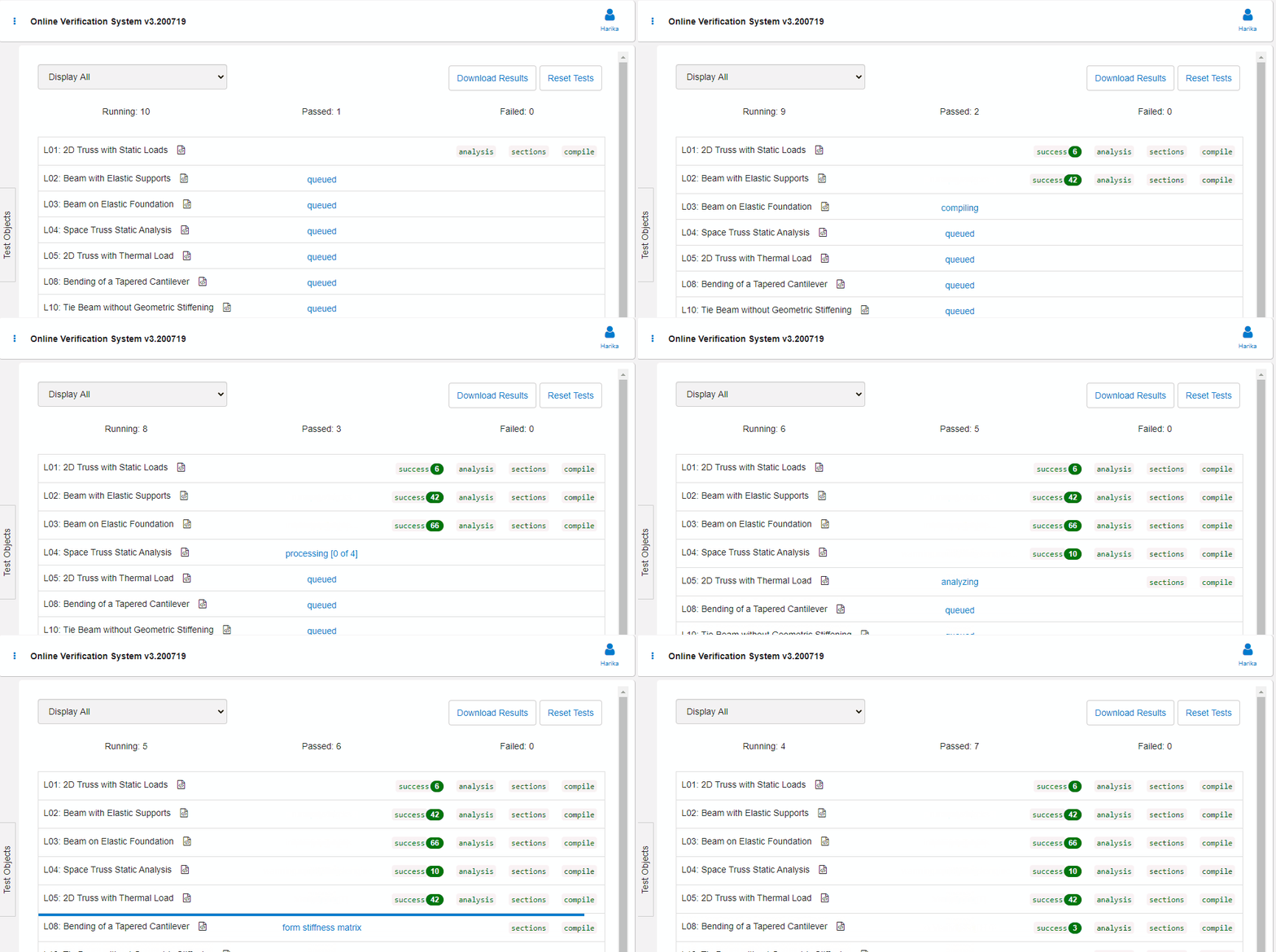
Comprehensive Testing Features
Everything you need to ensure quality and reliability in your engineering solutions
Automated Testing
Run tests automatically on every change with continuous integration support.
Real-Time Results
Get instant feedback on test results with live status updates.
Performance Tracking
Monitor performance metrics and track improvements over time.
Quality Assurance
Ensure your models meet industry standards and specifications.
Verify With Real Projects
There are already hundreds of test cases available in OpenBrIM.Verify through OpenBrIM.Library. You can add your own verification problems through OpenBrIM.Incubator or add your project files to the verification system.
Why Use OpenBrIM.Verify?
Benefits of integrated testing and verification
Catch Bugs Early
Identify issues before they reach production with automated testing.
Faster Releases
Streamline your release process with confidence in your code quality.
Team Collaboration
Share test results and work together to maintain quality standards.
Version History
Track test results across versions and monitor quality trends.
Ready to Improve Your Testing?
Start using OpenBrIM.Verify to ensure quality in your engineering solutions
Start Testing Documentation